Analytics puts your WhatsApp account's health and your numbers on one screen: the quality of your number, how many messages went out and were delivered, and what Meta charged for them. Everything here is read-only.
Open the menu with the three lines at the top left, tap Wiz Bulk Messages and then Analytics. Tap the circular arrow at the top to load the latest numbers.
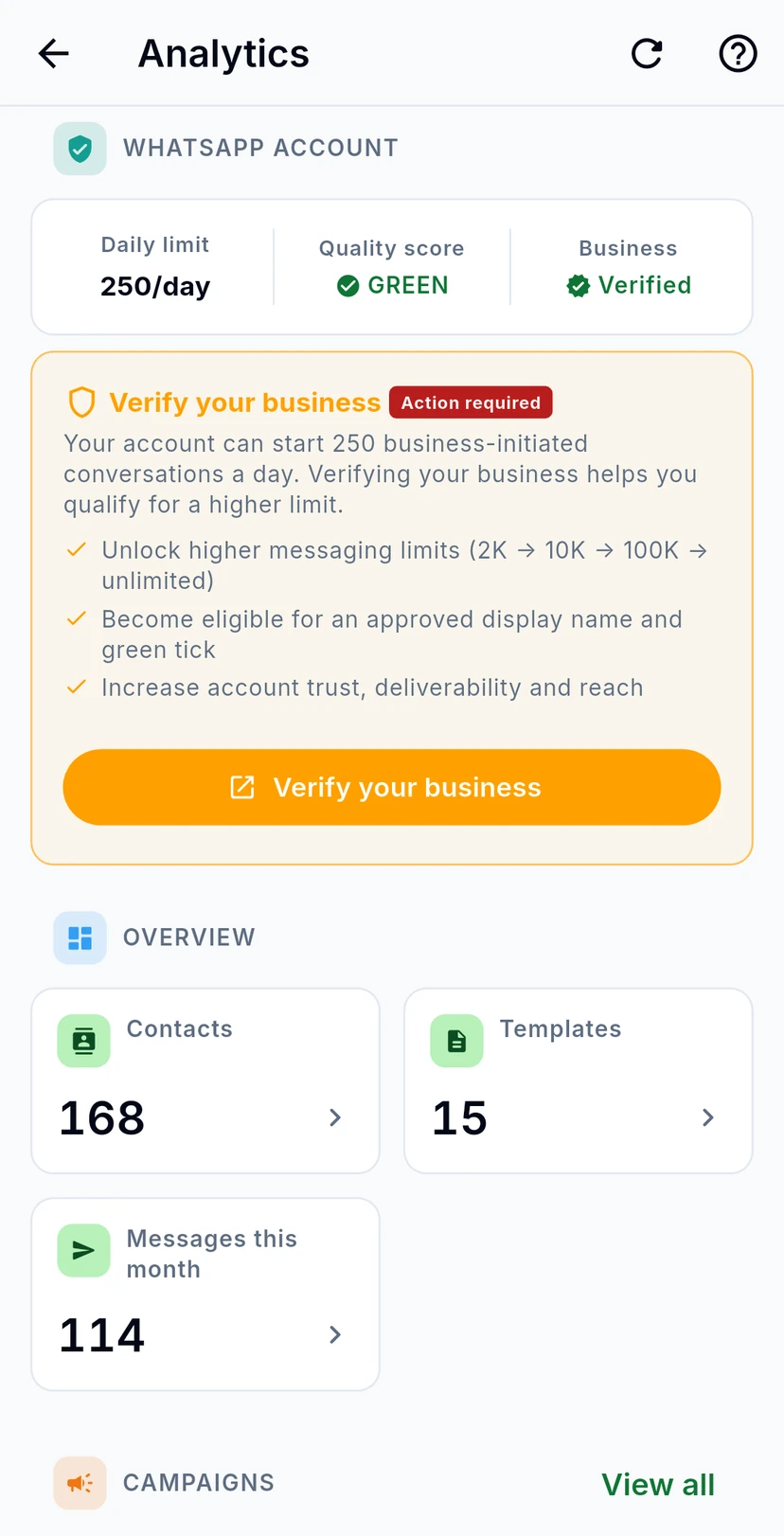
WhatsApp account comes first. It shows your number with its Quality score and Daily limit: how many customers you can start conversations with in a day. Business says whether Meta has verified your business. If it isn't verified yet, Verify your business explains what verification unlocks, such as higher messaging limits.
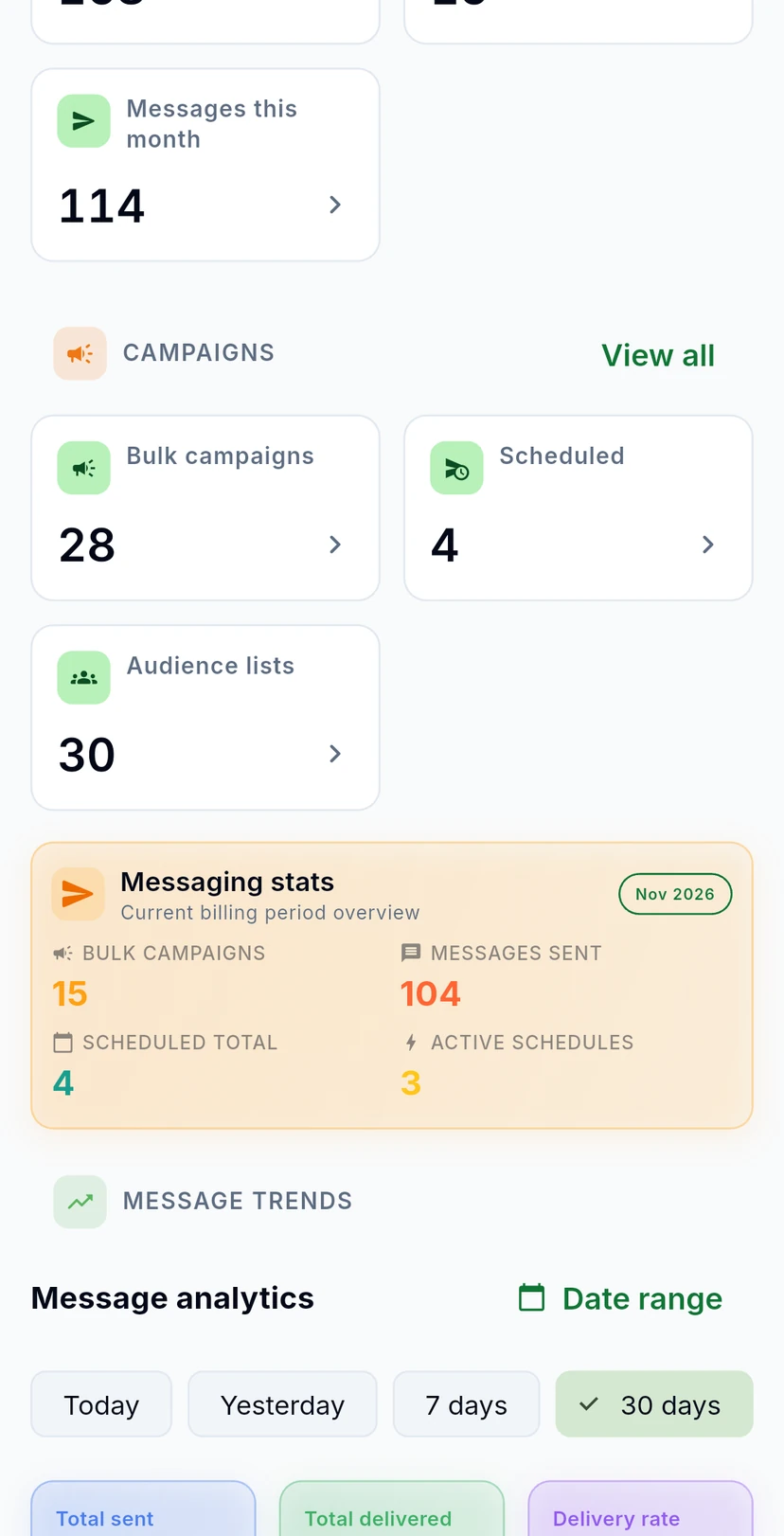
Overview counts your contacts, your templates and the messages sent this month. Campaigns shows how many bulk campaigns, scheduled messages and audience lists you have: tap a tile to open it, or View all for your campaigns. Messaging stats covers the current billing period: bulk campaigns, messages sent, scheduled messages in total and schedules still active.
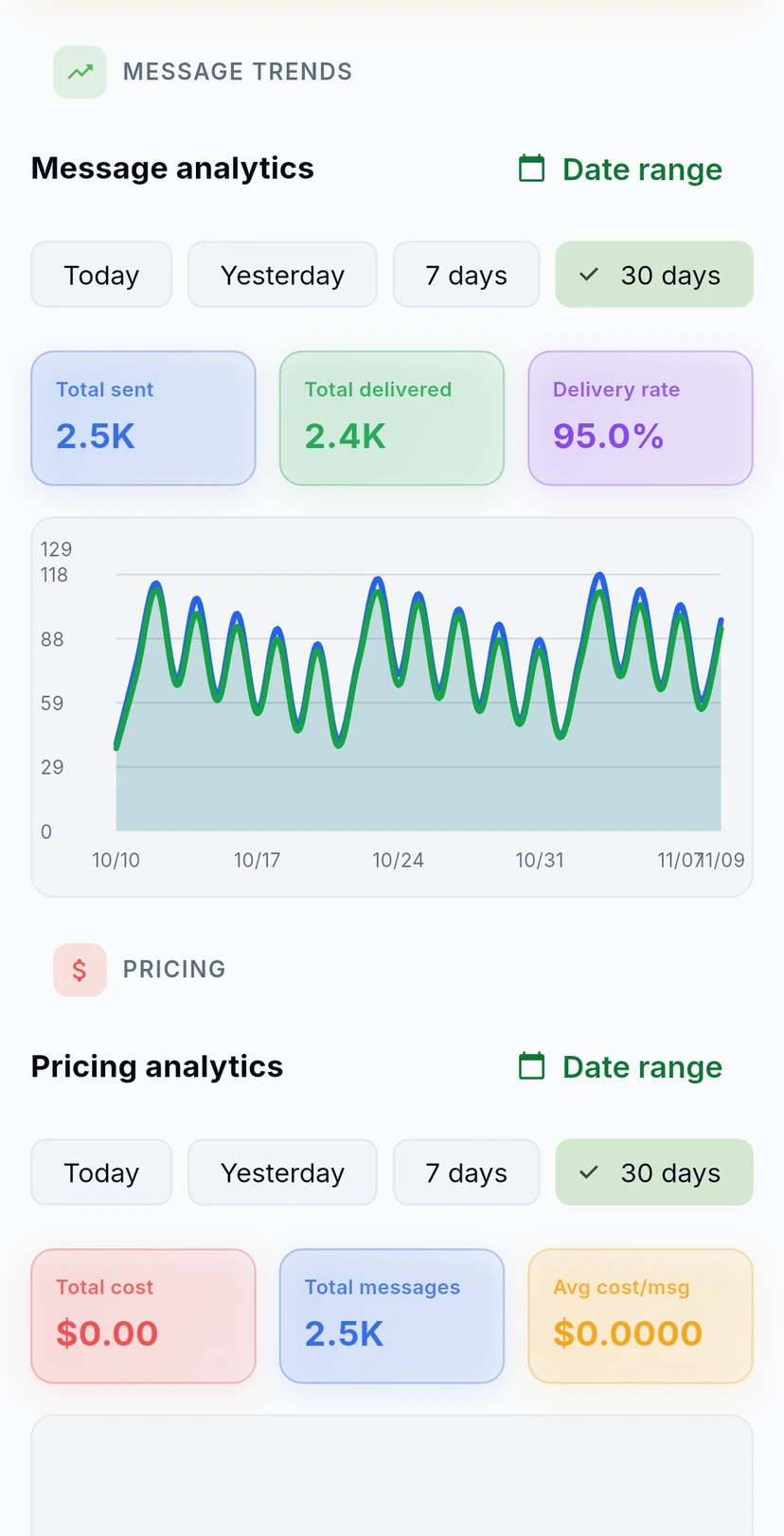
Message analytics charts the messages sent and delivered each day, with the Total sent, Total delivered and Delivery rate for the dates you pick: Today, Yesterday, 7 days, 30 days, 90 days, or your own dates with Date range. The numbers come from Meta.
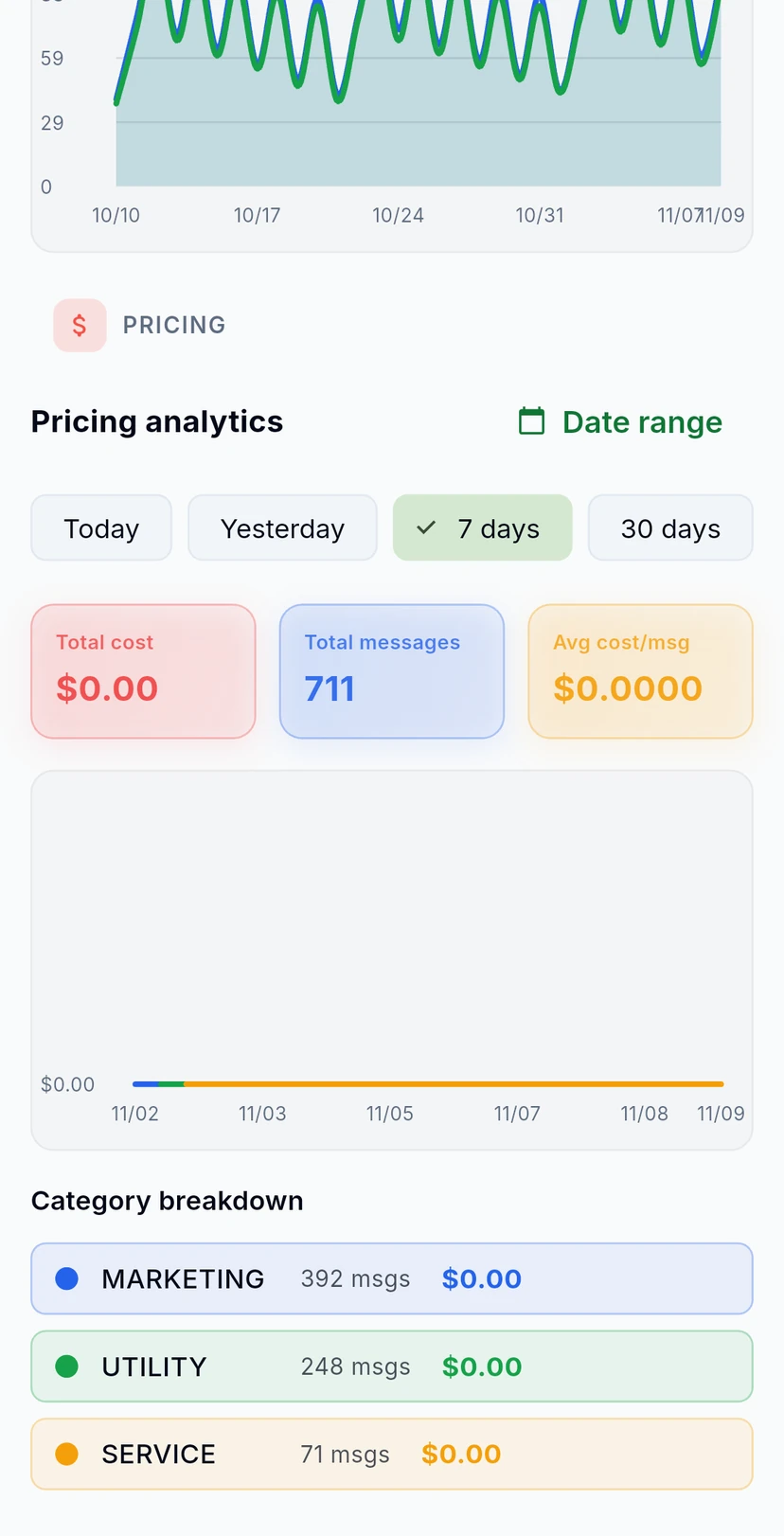
Pricing analytics shows the messages Meta charges for, for the dates you pick: Total cost, Total messages, Avg cost/msg and a Category breakdown by pricing category, such as marketing, utility and service messages.