Message settings
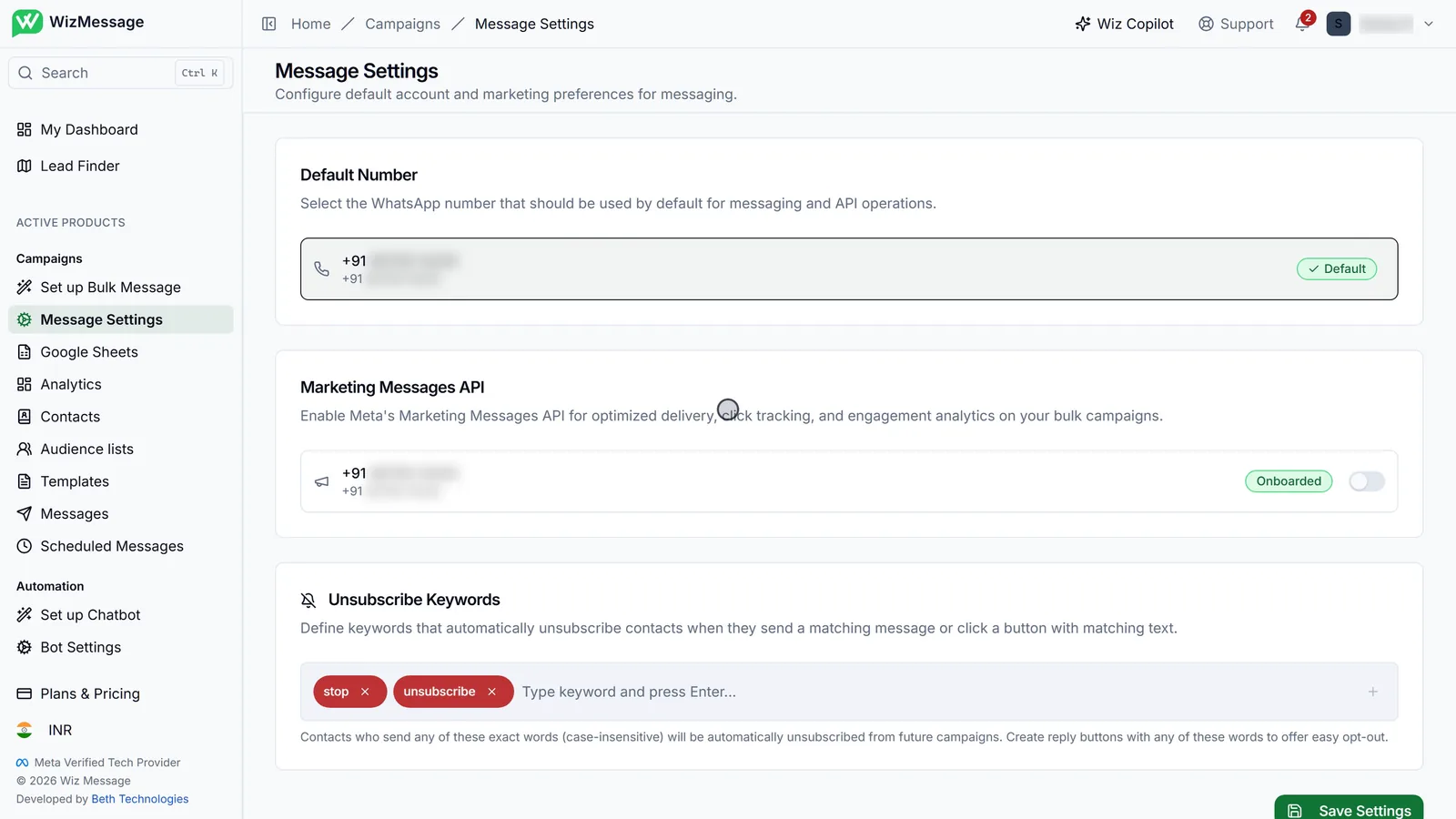
Message Settings, under Campaigns in the sidebar, holds three things every campaign depends on: which WhatsApp number sends by default, whether campaigns go out through Meta's Marketing Messages API, and the words that unsubscribe a customer from future campaigns.
Your settings
Message Settings
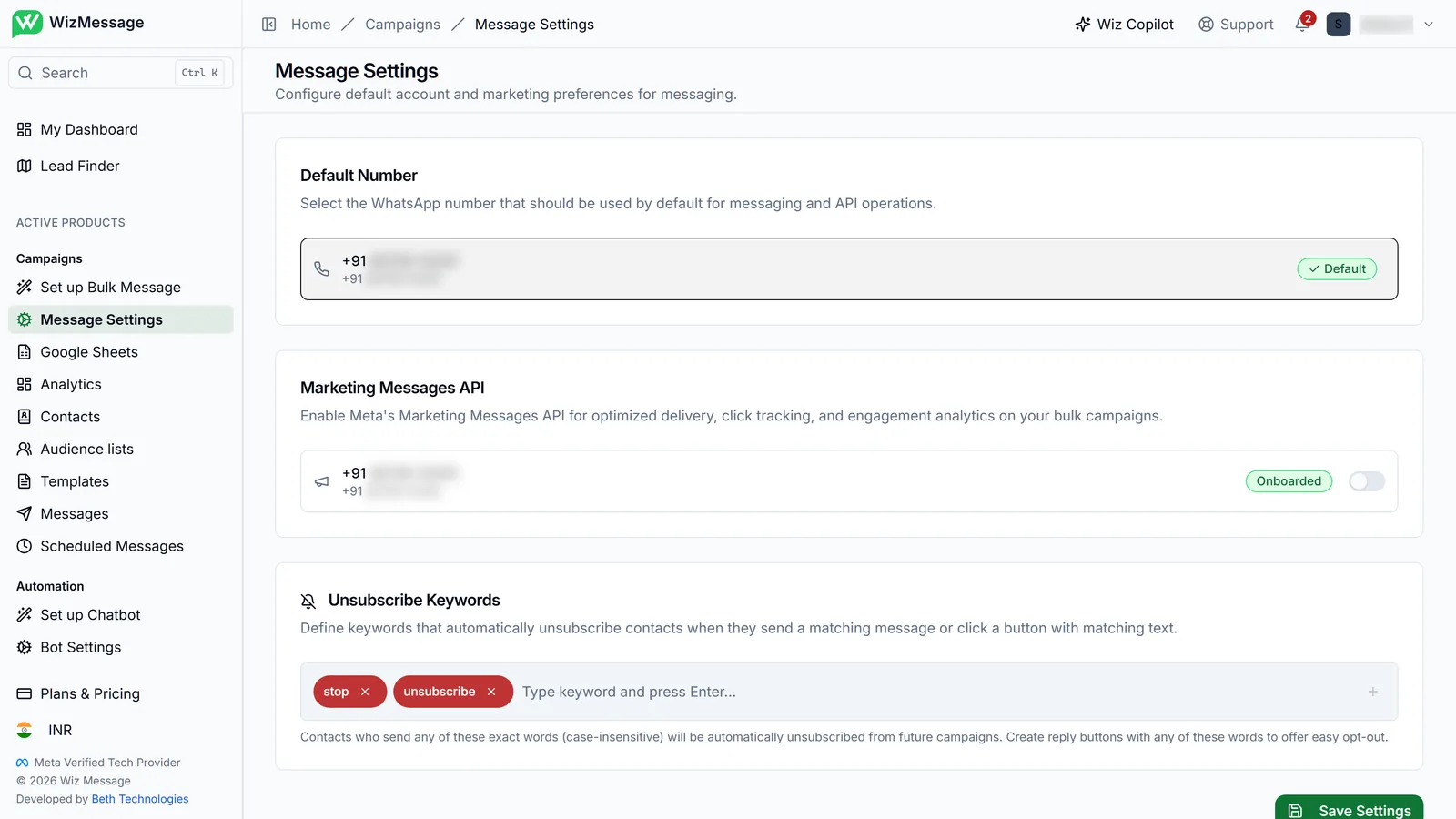
Message Settings has three cards: Default Number, Marketing Messages API and Unsubscribe Keywords. Marketing Messages and the keywords are kept by Save Settings at the bottom, so nothing you change there takes effect until you press it. The default number is different: it changes the moment you choose it.
The default number
If you have connected more than one WhatsApp number, the default is the one campaigns and the API use unless you choose another. It carries a Default badge; every other number has a "Set Default" button, which switches at once — no Save needed. With one number, it is your default and there is nothing to choose.

Marketing Messages API
Meta's Marketing Messages API sends marketing campaigns with optimised delivery, and reports link clicks and engagement back to your campaign. Each number shows Meta's status for it. Onboarded means you can use it: turn the switch on and press Save Settings. Pending Setup means Meta is still finishing — usually a few minutes; if it stays, contact Meta Support. Not Available means the number has to be reconnected first, and the Reconnect button starts that. Turning the switch off asks you to confirm.

Unsubscribe keywords
When a customer's whole message is one of these words — capitals do not matter — they are unsubscribed from your future campaigns. Tapping a button whose text is a keyword counts too, so a "Stop" button on a template gives customers a one-tap opt-out. "stop" and "unsubscribe" are there from the start. Type a word and press Enter to add it, click × to remove one, then Save Settings; the change reaches incoming messages within a minute.
