Escalations and excluded numbers
Two lists that keep people in charge of the bot. Escalations collects every conversation the AI handed to a human — a refund, a billing problem, someone asking for a person — so none of them waits unseen. Excluded Numbers lists the numbers the bots do not answer at all: customers you are talking to yourself, people who opted out, your own staff.
Escalations
Conversations waiting for a person
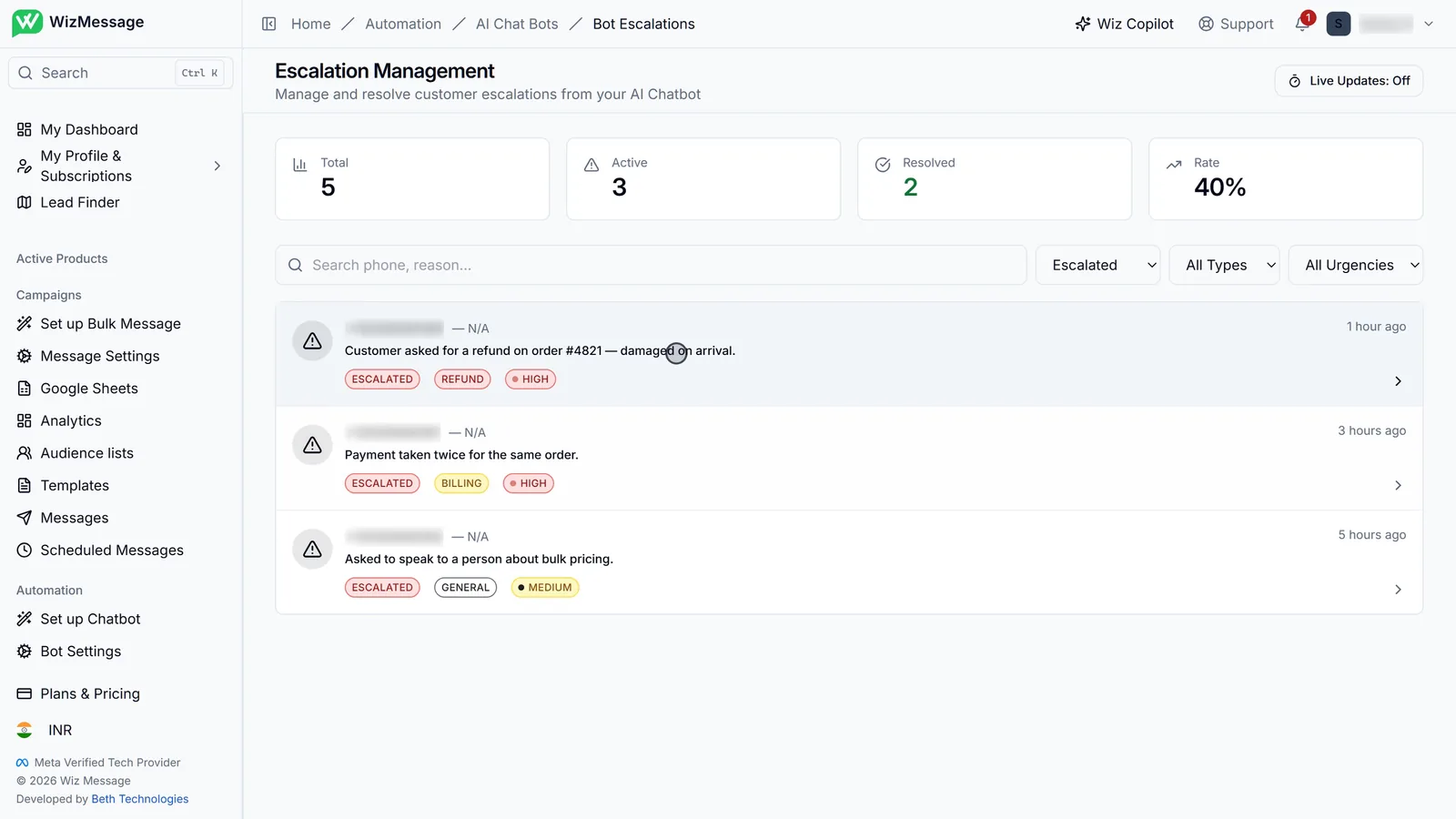
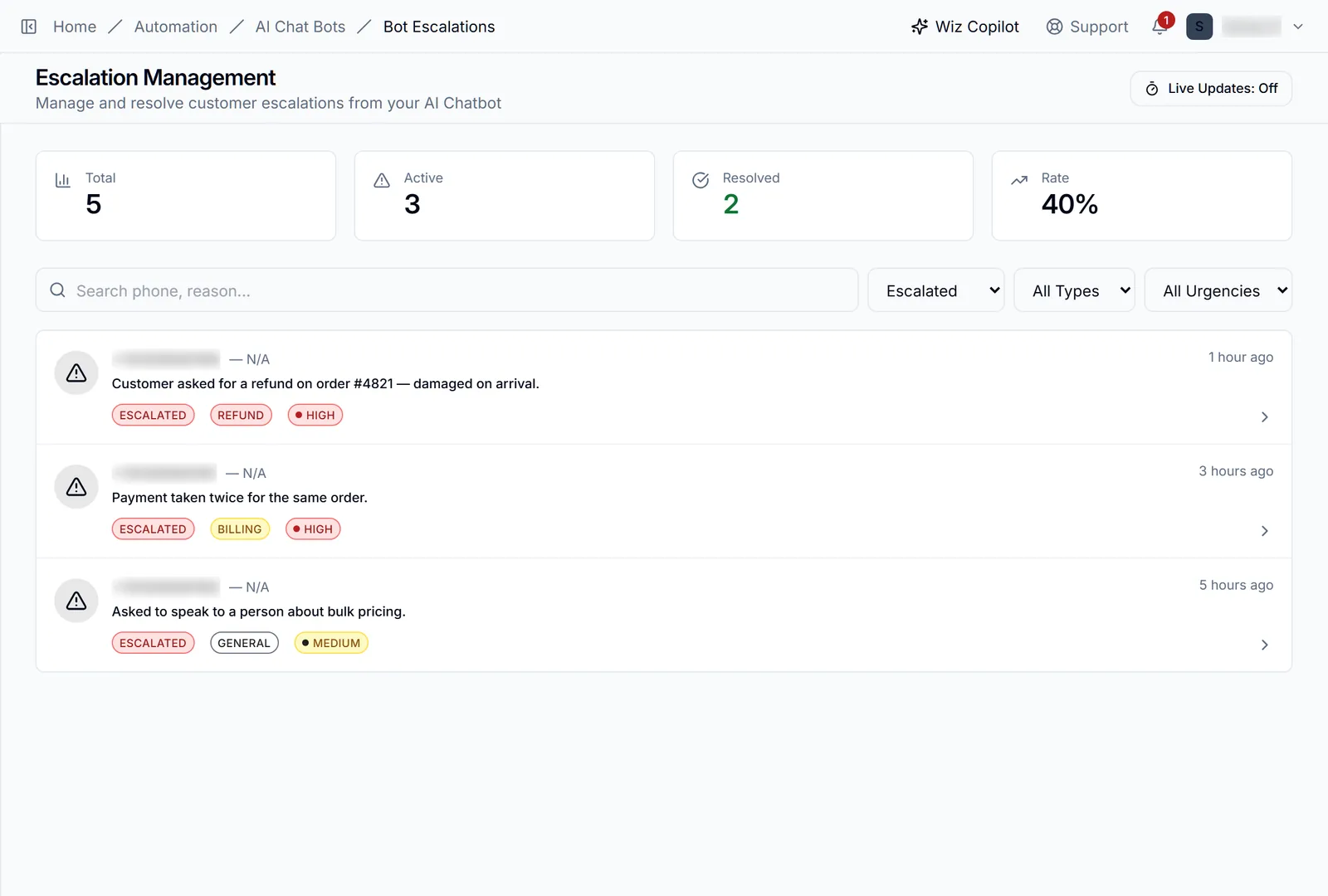
When the AI bot cannot or should not answer — a refund, a billing problem, a customer asking for a person — it escalates the conversation and it appears here. Each card gives the reason in the bot's own words, its type and its urgency. The counters at the top show how many are still open and what share have been resolved.
The ones already handled
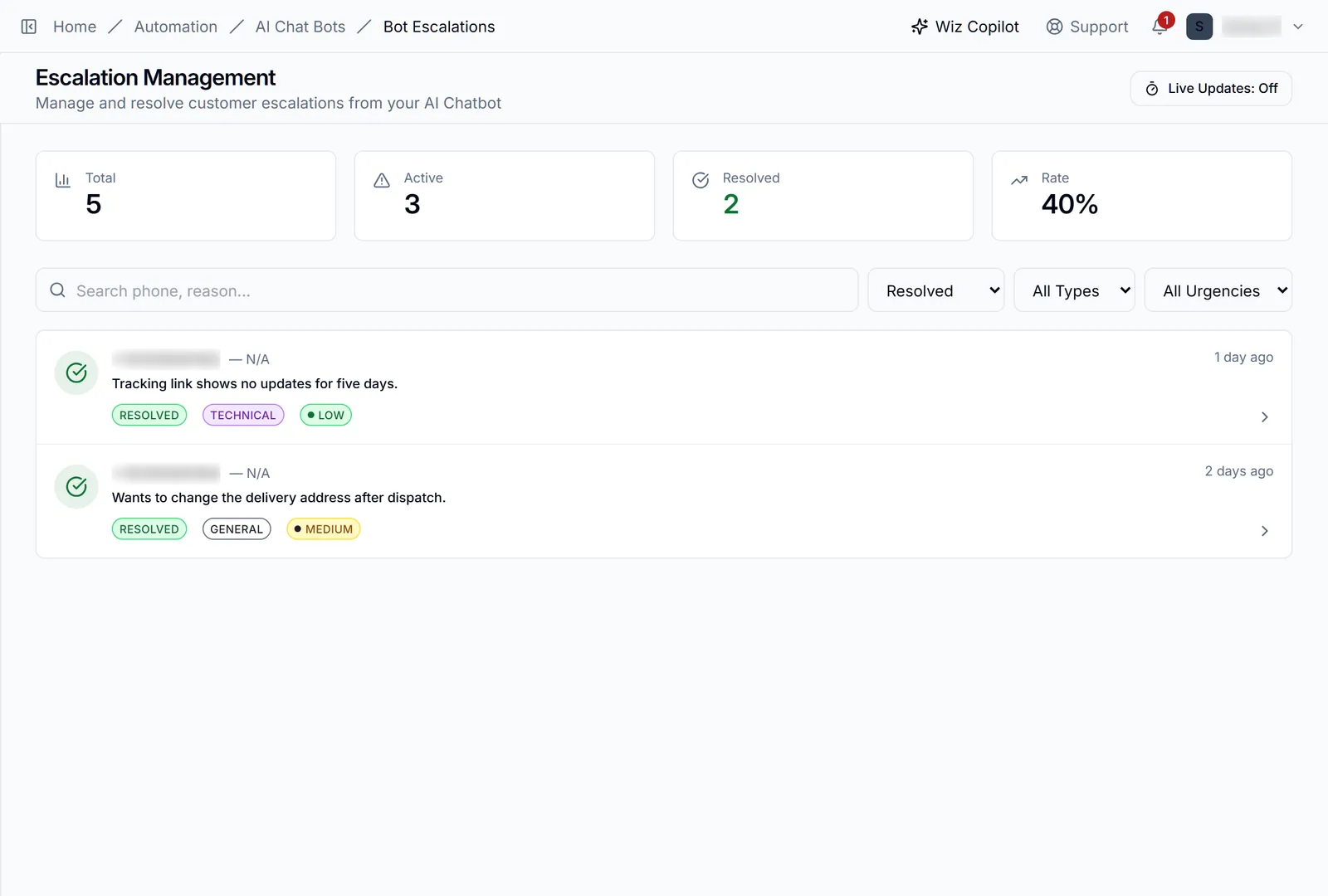
The list opens on the escalations still waiting. The status filter switches to the resolved ones — useful for checking how a type of problem was handled before. Type and urgency filter the same way, and search matches a phone number or the reason.
Excluded numbers
Numbers the bots never answer
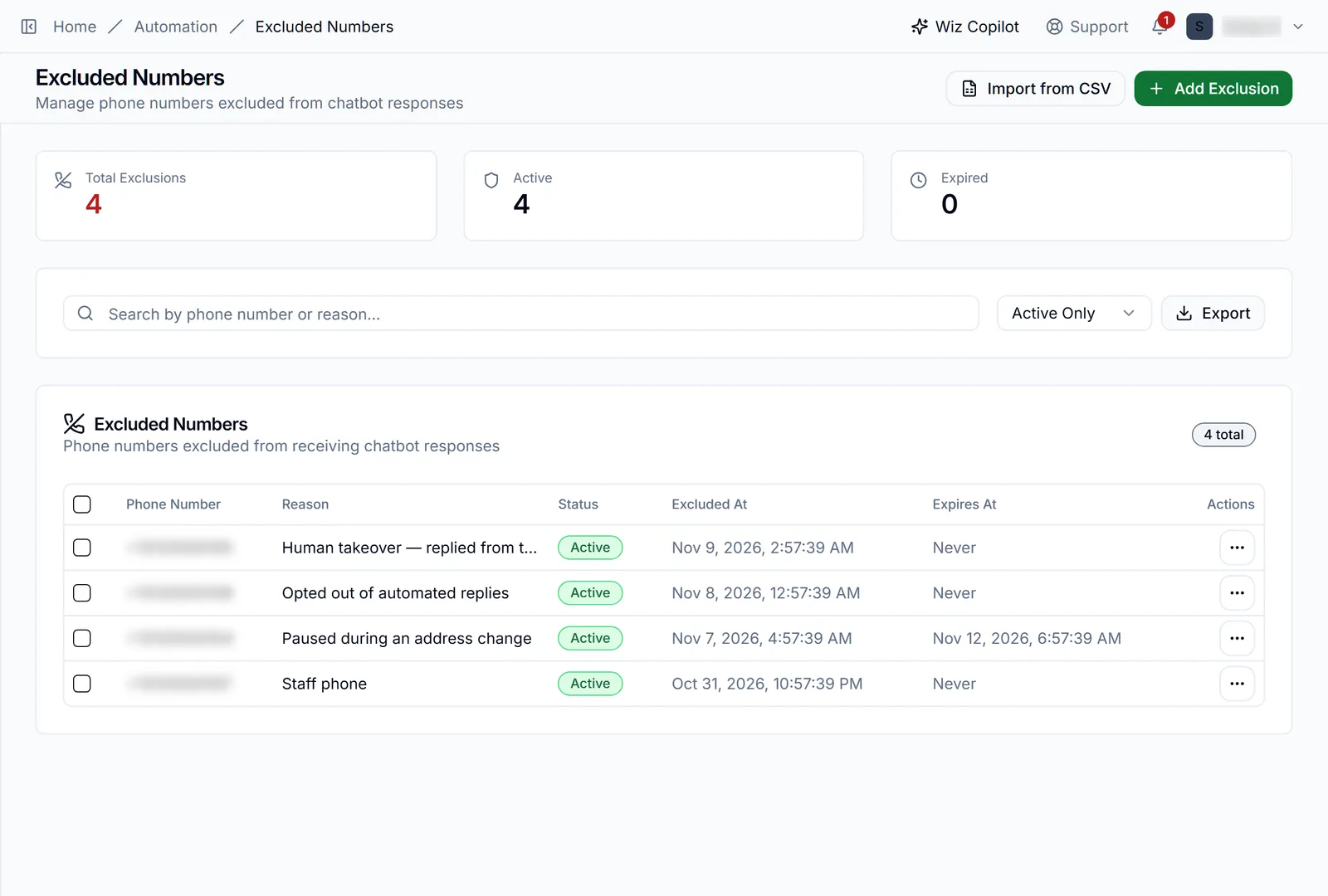
Excluded Numbers, under Automation, lists the numbers no bot answers. Some are added for you: when Human Takeover is on and you reply from your phone, that customer is excluded so you are not talking over the bot. Others you add yourself — a customer who opted out, a staff phone. Each row says why, and an exclusion can expire on a date or stay until you remove it.
Adding one
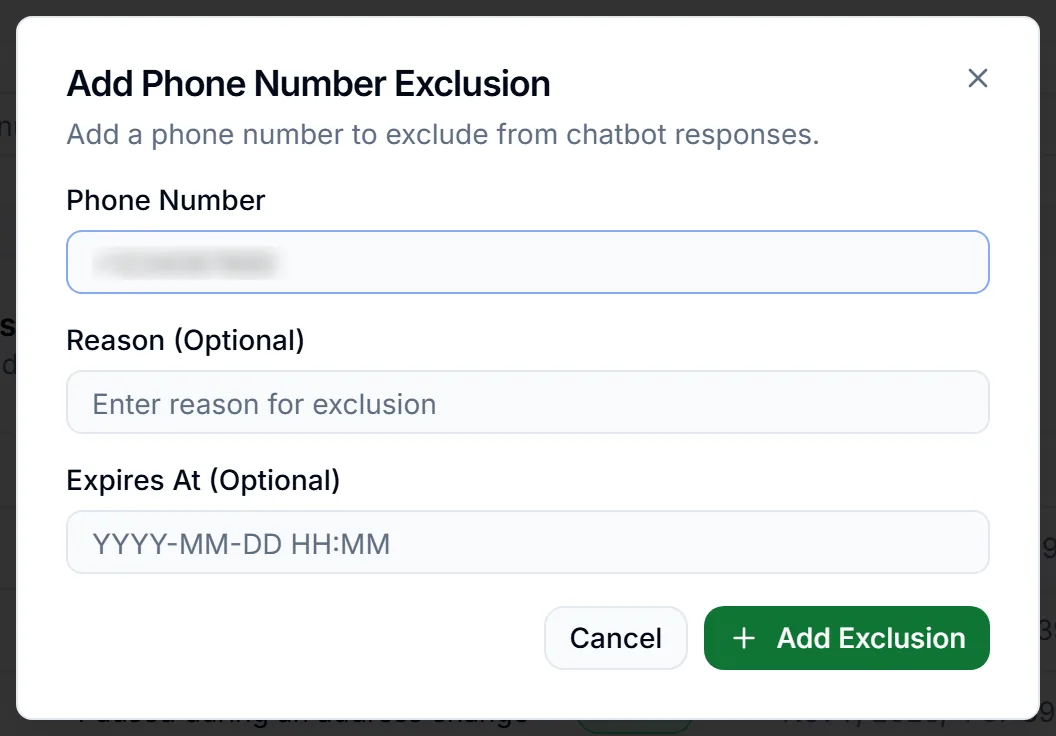
Add Exclusion takes the number, a reason you will recognise later, and an optional end date. Import from CSV does the same for a list. Removing a number from this list hands it back to the bot.